Model: AS35
Vendor: Asiatelco Technologies Inc. (A-Tracs)
Availability: Available
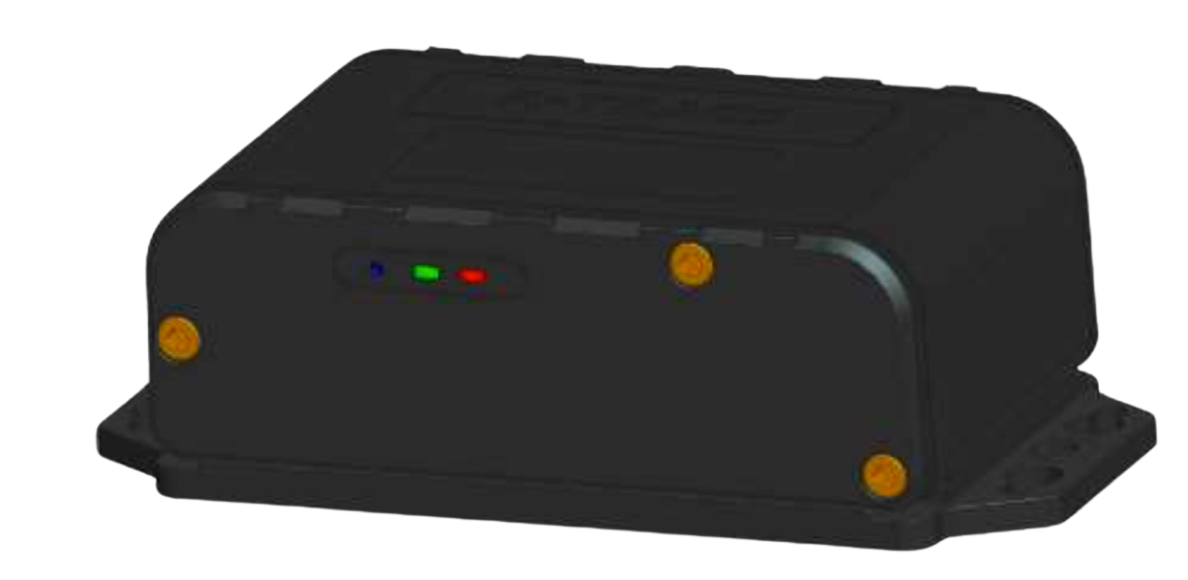
The AS35 is a cellular asset tracker built for unpowered equipment and assets that have no available power source. Deploy it once, no wiring, no charging, no maintenance, and get up to seven years of tracking coverage across containers, trailers, tools, rolling stock, and heavy equipment, indoors or outdoors, with broad visibility designed to help clients reduce total cost of ownership.
What it does
The AS35 uses a long-life, non-rechargeable battery to deliver configurable location updates through the platform. Smart check-ins keep the asset visible when stationary, and automatic location updates report position while in transit, extending battery life across the full deployment cycle without sacrificing visibility.
It is rated IP67, making it suitable for harsh outdoor environments, and supports bolt-on, magnetic, or adhesive mounting to fit a wide variety of asset types. Universal asset coverage means it tracks containers, equipment, tools, and rolling stock indoors and out - all from one device.
Specifications
| Attribute | Detail |
| Power source | Non-rechargeable battery |
| Battery life | Up to 7 years (at one heartbeat every 12 hours) |
| Connectivity | Cellular (LTE Cat-M1 with 2G fallback) |
| SIM | Internal SIM — no external gateway required |
| Moving ping rate | Configurable: every 1 to 10 minutes |
| Stationary ping rate | Configurable: every 6 to 24 hours |
| Installation | Bolt-on/bracket, magnetic, or adhesive |
| Installation location | Exterior (roof, chassis) or interior (engine compartment, dashboard) |
| Asset type | Unpowered or battery-powered assets |
| Environmental protection | IP67 |
| Dimensions | 101 × 61 × 35 mm |
| Weight | Approximately 280 g |
| Certifications | FCC |
Best for
- Trailers, containers, and rolling stock with no power connection
- Construction and job site equipment stored or transported between locations
- Tools and portable assets that move between sites Long-term deployments where battery replacement or recharging is not practical, deploy once and track for years
- Mixed indoor and outdoor environments
- Fleets looking to help reduce total cost of ownership on asset tracking
Installation
The AS35 supports three mounting methods. Choose the one that best fits your asset and deployment conditions.
What You'll Need
- A hex key for the three bracket screws
- Fleet Portal access, so you can confirm the device is reporting before you mount it
- A spot with a clear view of the sky — outdoors, or beside a window with no roof or metal overhead — for 5 to 10 minutes
- Hardware to fasten the bracket to the asset, suited to the asset and the mounting surface
-

Tip
The AS35 battery is not rechargeable, so activate the device when you are ready to deploy it rather than in advance.
Activate the AS35
Find the activation button on the side of the device. It sits in a recess on the same panel as the screw heads and is flush with the housing rather than raised.
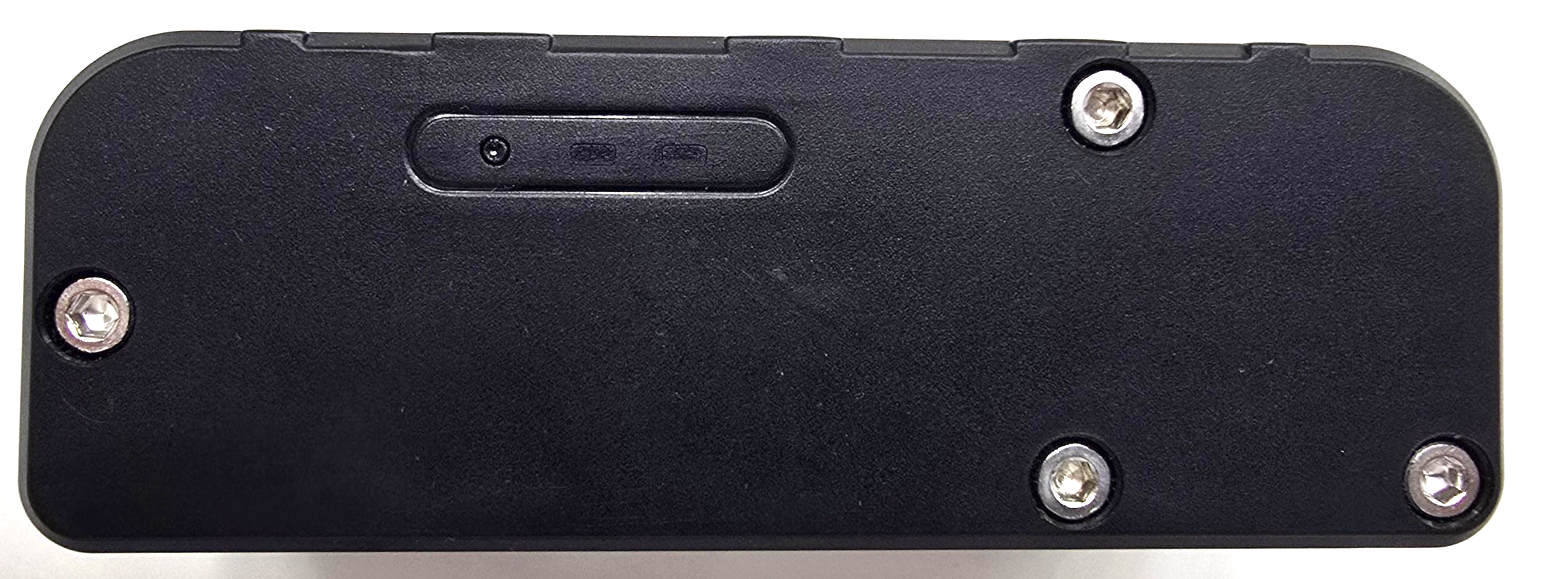
- Press and hold the button until the blue and green LEDs light up together. Both lights on at the same time confirm the device has powered on.
- Release the button. The blue and green LEDs switch off on their own after three to five seconds.
Set the device down with a clear, unobstructed view of the sky and leave it undisturbed for 5 to 10 minutes while it acquires signal and latches.

Note
The LEDs clearing after a few seconds is expected. It means the power-on signal registered — it does not mean the device switched off again.
Tip
Activation needs open sky. A workbench inside a metal shop or a shelf under a roof will slow it down or stop it latching altogether.
Verify Activation in the Fleet Portal
- Open the LytxOne Fleet Portal - app.lytxone.com
- Enter your Username and Password, then tap Log In.
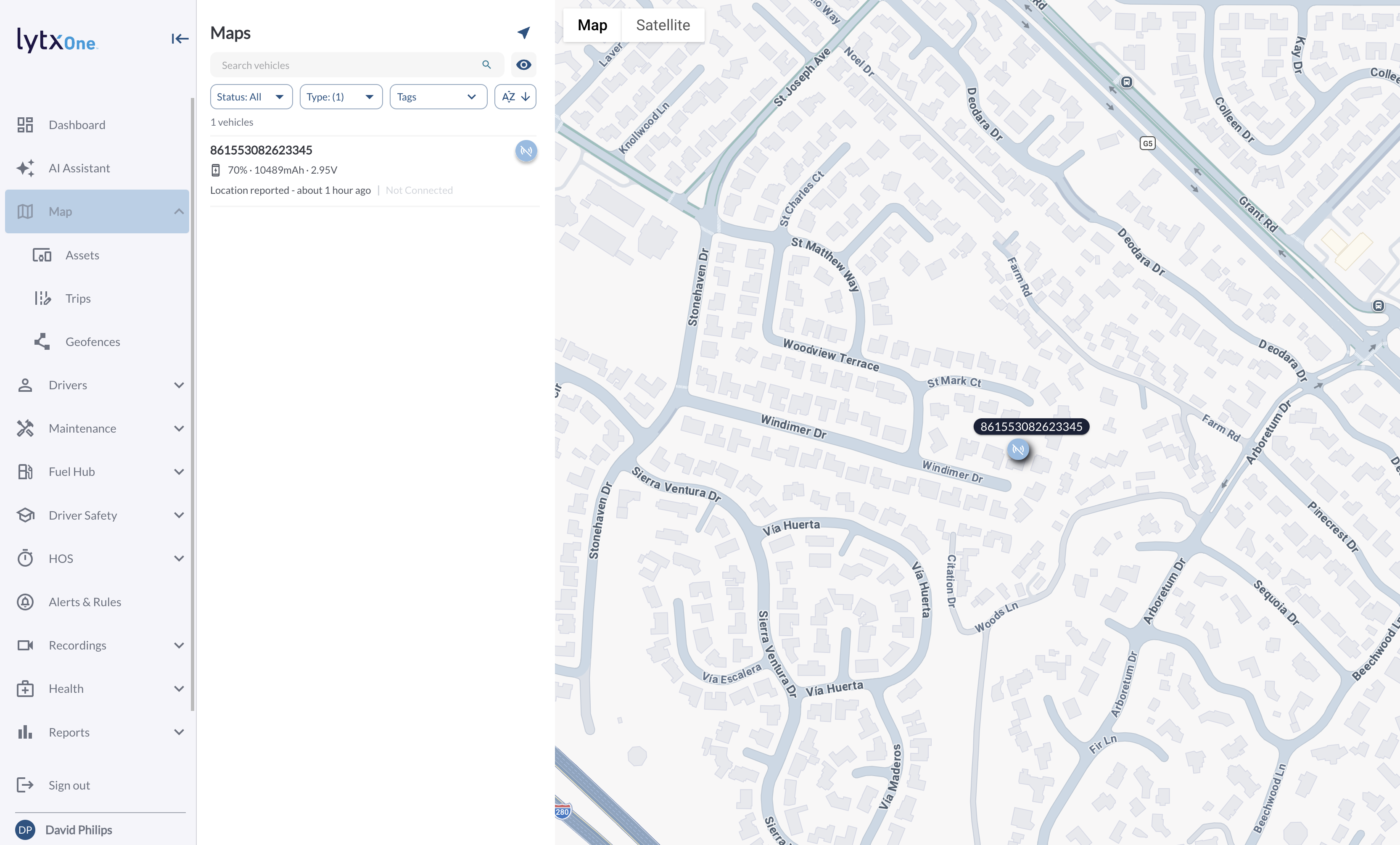
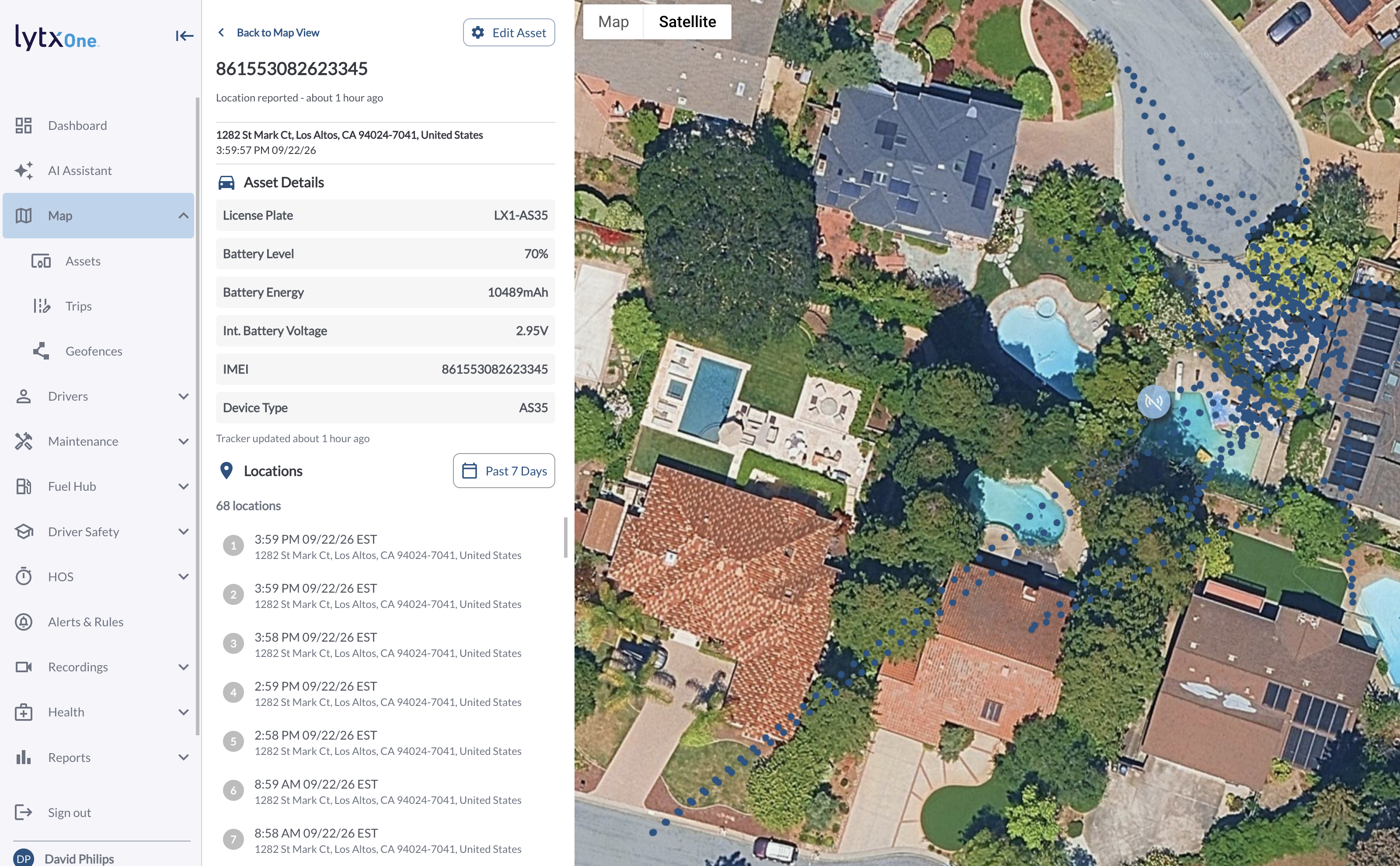
Add the AS35 to your fleet by navigating to Maps --> Assets and clicking on the Activate Assets button and entering the devices IMEI, followed by a name for the device.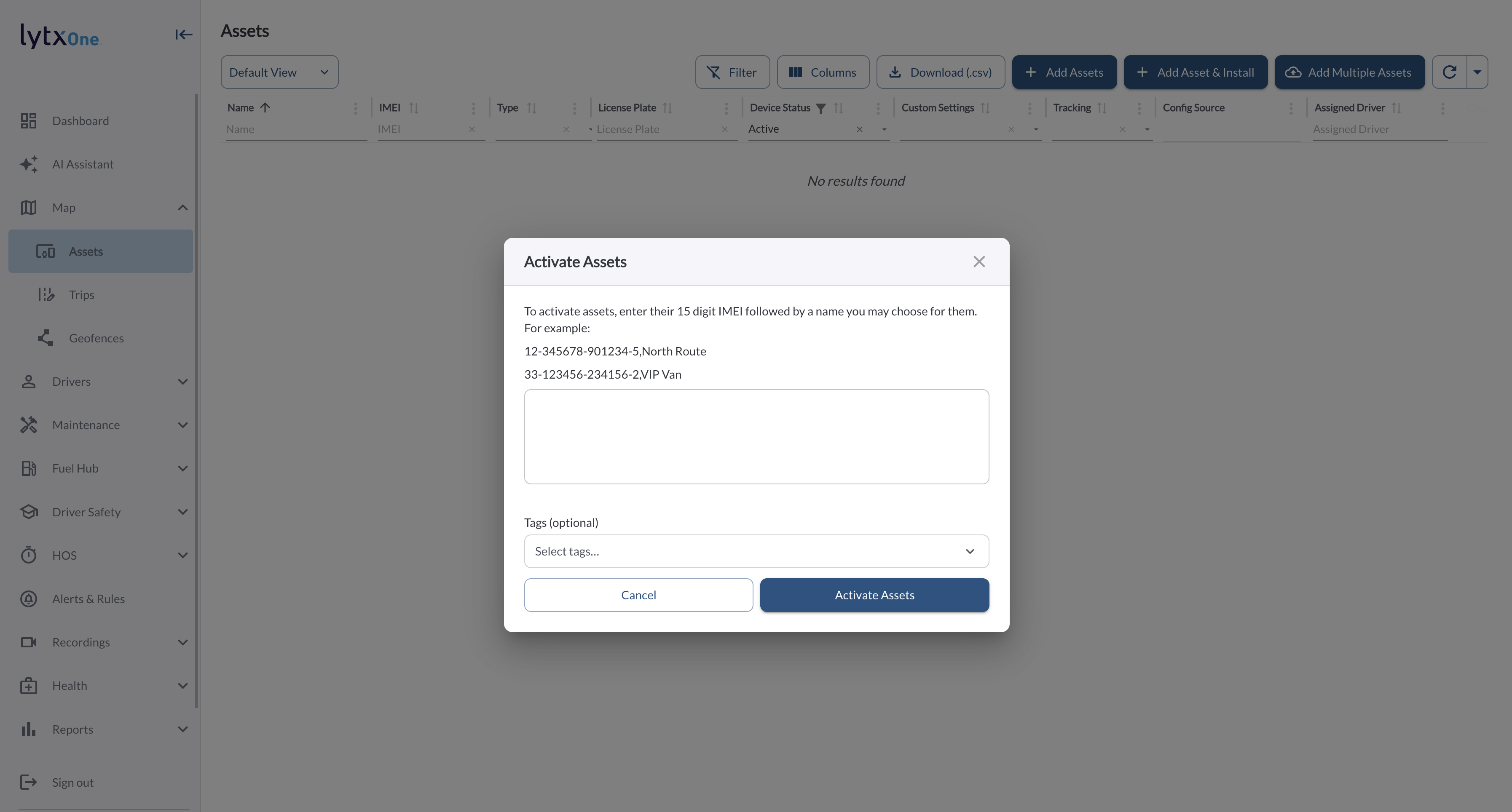
Click on the device in the Maps page of the fleet portal, Find the AS35 by IMEI and confirm it has latched and is reporting location data. The device will show as "Not connected" as it only sends data at a given interval, clicking on the device details will provide the device historical locations.

Warning
Do not mount the device until you can see location data for it in the Fleet Portal. A tracker that never latched is far harder to diagnose or swap once it is bolted to an asset in the field.
Attach the Mounting Bracket
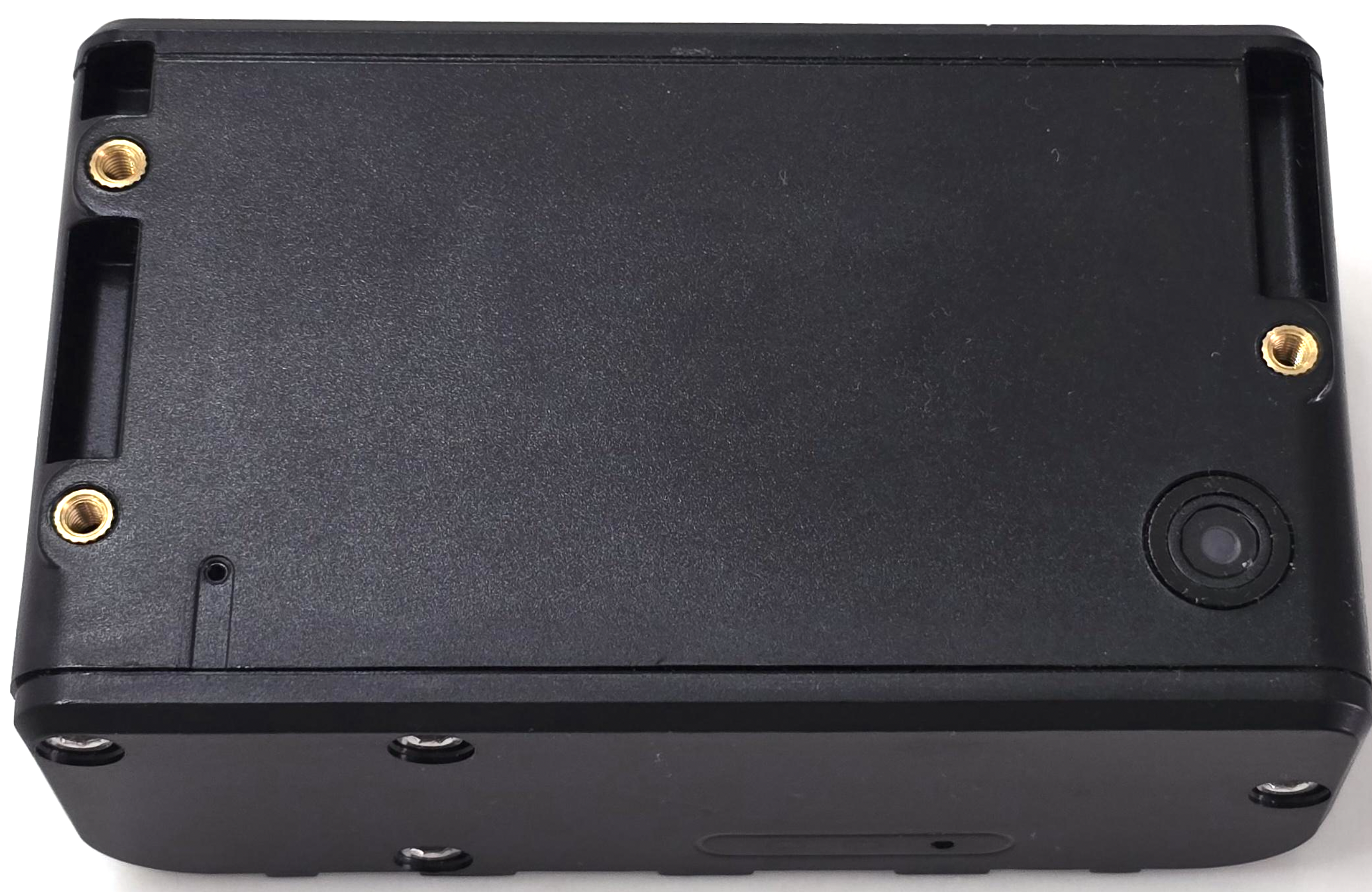
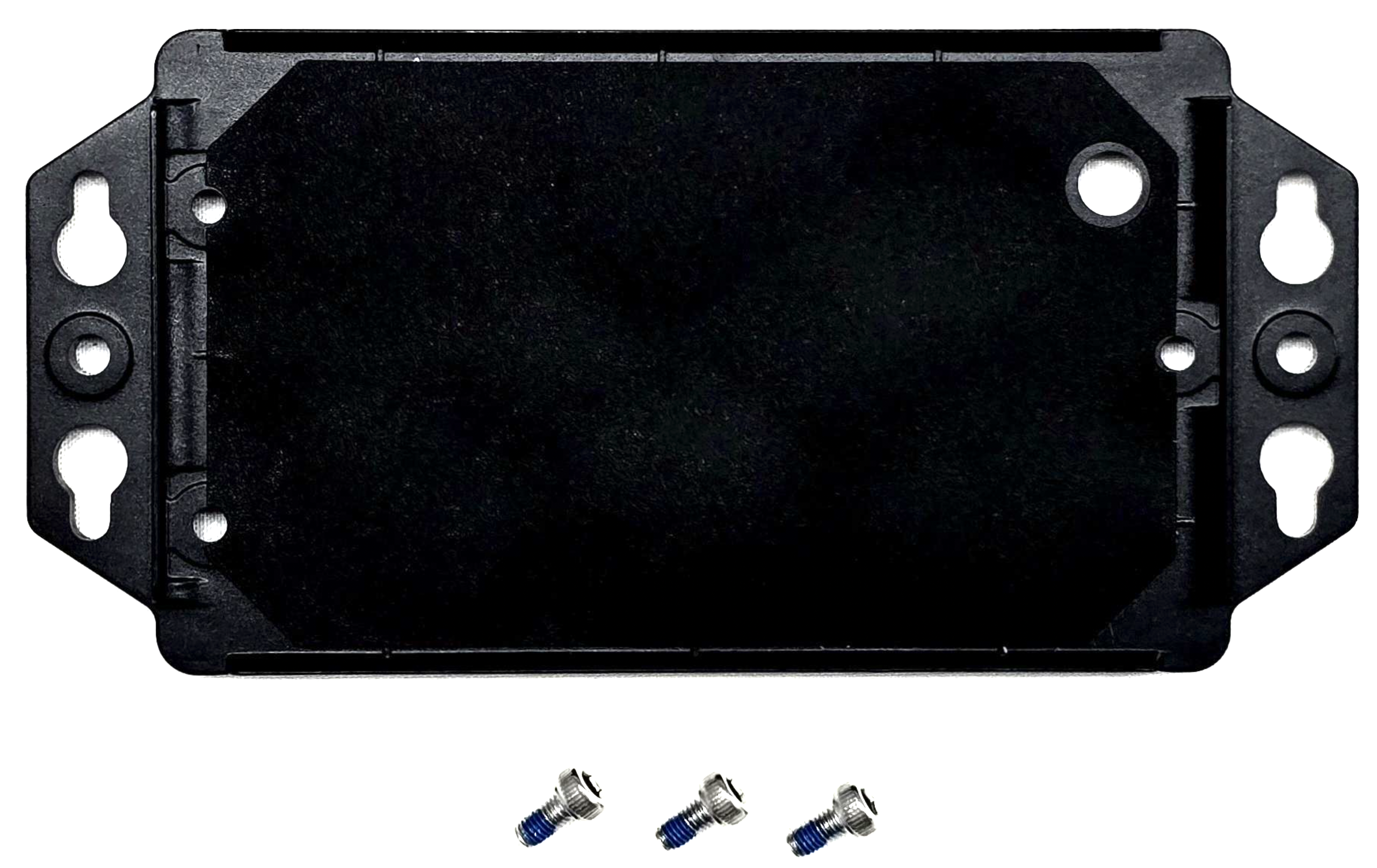
- Line the holes in the bracket up with the three threaded posts on the back of the device.
- Drive the three machine screws to fasten the bracket to the device.
- Snug the screws without over-tightening. The thread locker holds them — force is not what keeps them in place.
Mount the Device to the Asset
- Choose a position that keeps the device facing up with a clear view of the sky. Avoid metal enclosures, positions under the chassis, and anywhere a load or a closed lid will sit over the device.
- Fasten the bracket to the asset through the open slots on the outer tabs.
- Push on the device to check it does not shift. A loose tracker reports unreliable movement data.
Note
The AS35 is rated IP67, so an exterior mount on a trailer, container, or piece of equipment is fine. What it cannot tolerate is being boxed in by metal — that blocks the sky view it needs to keep reporting.
Your AS35 is now activated and mounted, and will report location on the ping rate configured for the asset.
Ping rate and battery life
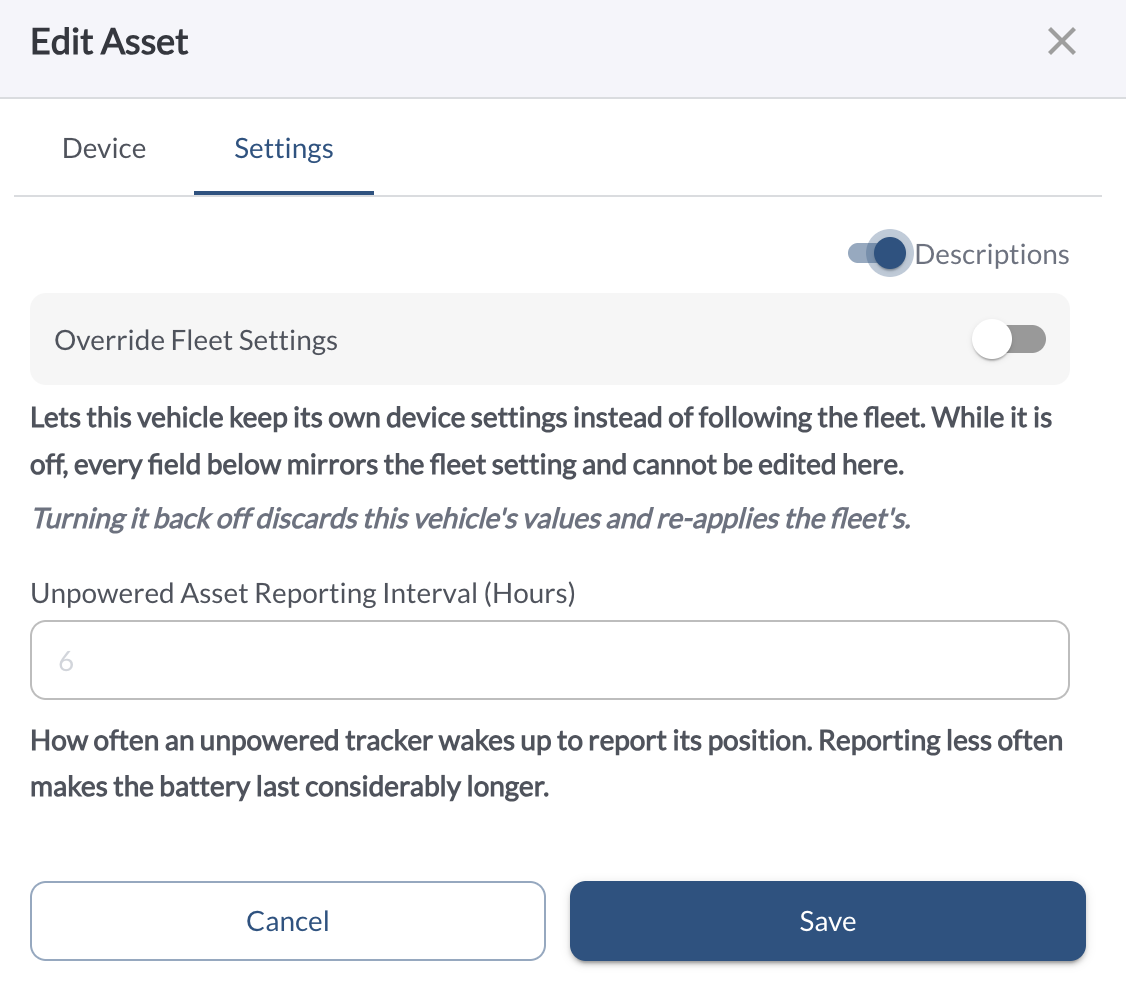
Ping rate directly affects battery life. The seven-year estimate assumes a heartbeat of roughly once every 12 hours. More frequent reporting shortens battery life proportionally.
Configure ping rate in the platform under device settings for this asset. When setting up for the first time, consider the following:
- Containers in transit: higher moving ping rate (every one to three minutes)
- Stored yard equipment: lower stationary rate (every 12 to 24 hours) to maximize battery life
- Tools or job site equipment: moderate rates (every six to 12 hours stationary) balanced against expected deployment length