The Set Engine Hours action lets you set the engine-hours counter on a device to match the vehicle's hour meter. Vehicles that do not support engine hour reporting start counting from zero. Entering the current reading allows the device to count up from the value you enter.
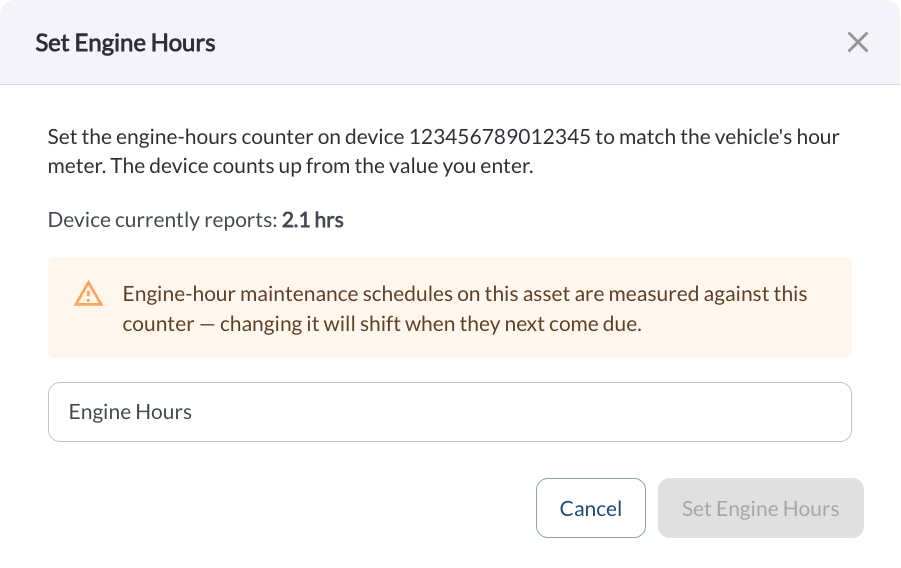
How to Set Engine Hours
- In the Fleet Portal, go to Assets.
- Locate the asset you want to update.
- Click the (⋯) menu next to the asset and select Set Engine Hours.
- Review the value shown in Device currently reports.
- Enter the vehicle's current hour meter reading in the Engine Hours field.
- Click Set Engine Hours.
The Set Engine Hours button remains disabled until a value is entered. Click Cancel to close the dialog without saving.
Warning
Engine-hour maintenance schedules on the asset are measured against this counter. Changing it will shift when they next come due.
Note
Engine hours can only be set on active devices. Devices that are not connected
or are in standby will return an error.